
v4.9.0 -
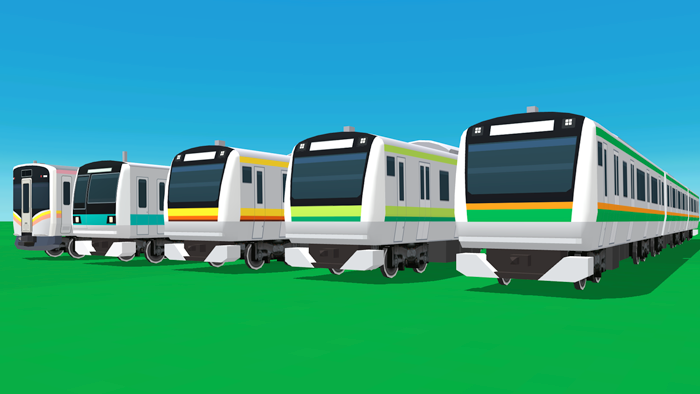
- Added 5 Trains Pack 27 to the shop!
- Watch trains run in shop previews. Tap to pause or resume.
- Fixed an issue with scenery placement on blocks.
- Fixed an issue where failed train placement could save a layout in which some trains would not run when Go was pressed.
v4.8.0 -
iPhone and iPad (universal version)
- The iPhone version is now a universal version that also runs on iPad.
- Now playable in landscape as well as portrait.
- Improved the display when iPhone Duo is unfolded.
- You can now carry over purchased packs and save data from the iPad version.
iPad version (the existing iPad-only app)
- Added “Carry Over” to Settings for moving to the universal version.
- Before using the universal version, update the iPad version to the latest version and run “Carry Over”.
- New features will be released in the universal version from now on.
For how to carry over, see Moving from the iPad Version to the Universal Version.
Android
- Now playable in landscape as well as portrait.
- Improved the display on unfolded foldable devices.
Bugs were fixed in all versions.
v4.7.0 -
- Updated the look of some trains.
- Optimized rendering for trains, tracks, and scenery.
- Slightly sharpened train textures and added a resolution option.
- The camera button now switches between Follow Train and Switch Trains.
v4.6.1 -
- Fixed an issue that prevented placing slope rails on blocks.
v4.6.0 -
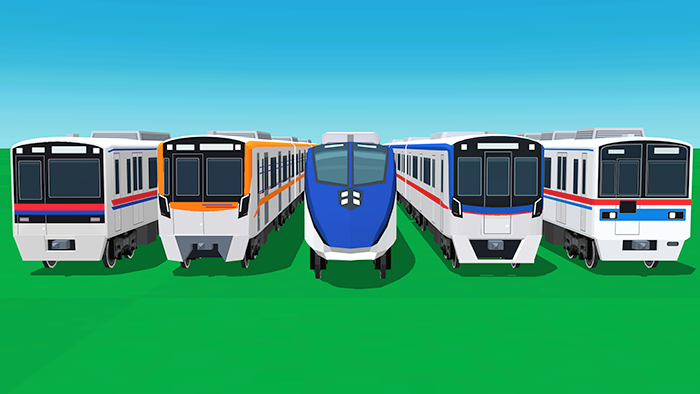
- 5 Trains Pack 26 is now available in the shop.
- You can now adjust the camera’s draw distance.
- Improved performance when running large layouts.
- Updated the game engine and SDKs.
v4.5.0 -
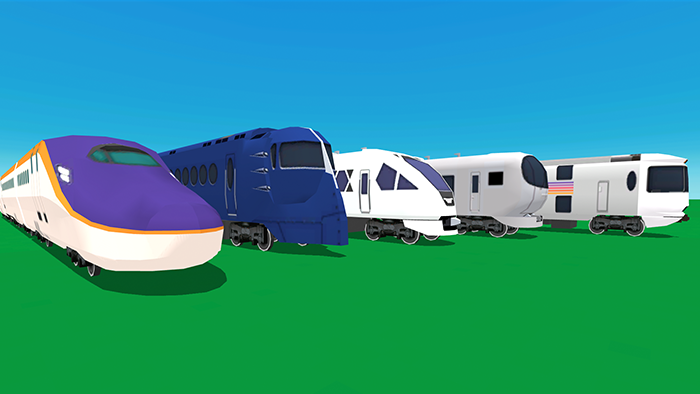
- Added 5 Trains Pack 25 to the shop.
v4.4.0 -
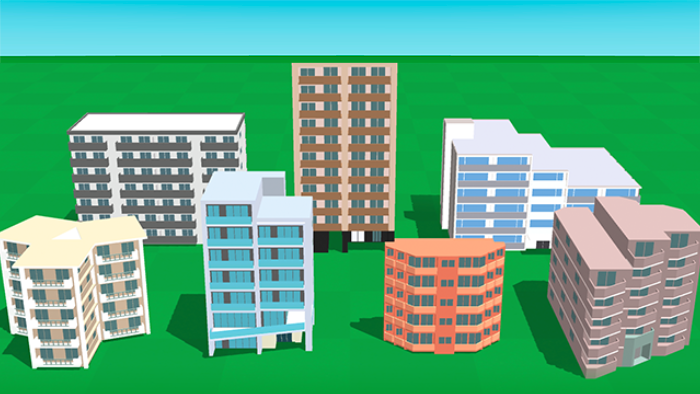
- Added 7 Apartment Buildings Pack to the shop.
v4.3.0 -
- Added the Overhead Line Pole rail attachment to the shop.
- Added the 7 Buildings Pack to the shop.
- Fixed an issue where trains could overlap and become stuck after colliding with another train while slowing down for a station.
- Adjusted Camera 1 in Drive mode.
- Adjusted the thumbnail images for some rail attachments.
v4.2.0 -
- Split Drive and Train View into separate modes and added a master controller to Drive.
- You can now start or stop other trains and operate track switches from Drive and Train View.
- Rail attachments are easier to place in a row.
- Fixed an issue where rapidly tapping the screen could make the game unresponsive.
- Fixed an issue where trains could collide and stop while passing each other.
- Fixed an issue where rail height was not considered when calculating outer curves.
- Fixed an issue where changing a track switch could cause a train to stop somewhere other than its scheduled station.
v4.1.0 -
- Added Stage Size Expansion to the shop, tripling the width and length of the stage.
- Straight rails of different lengths can now be selected.
- Changed the sky to improve performance.
- Reduced the processing load when placing stations.
- Added momentum to stage scrolling, making it easier to move around the stage.
- Increased the zoom-in and zoom-out speed in Edit mode.
- Fixed an issue where confirmation text was missing when deleting save data.
- Fixed an issue with cat behavior.
v4.0.0 -
- Added Advanced Mode for layouts such as double track.
- Ground and elevated station placement limits have been removed.
- Station buildings and platforms are now handled in the same way.
- Trains now stop at the center of connected station buildings and platforms.
- Station and platform rotation and post-placement controls have been improved.
- New narrow island stations and platforms have been added.
- Branch rails can now be created from slope rail ends.
- Rails can now be placed above and below slope rails.
- Reduced station stops from 5 seconds to 3.5 seconds.
- Camera 1 in Drive now follows the new lead car when a train reverses at the end of a track.
- Train tilt on curves has been fixed.
- Changed the default point switch position from R to L.
- Fixed other bugs and improved behavior.
v3.0 -
The app design has been renewed.
v2.4 -
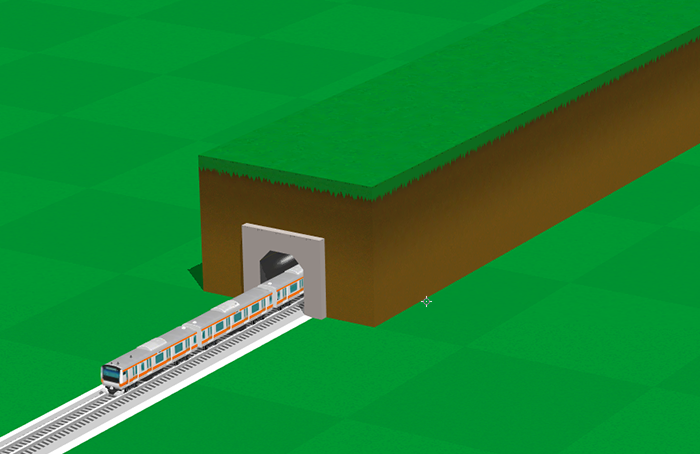
- We have changed the shape of the tunnel and made it connect seamlessly to the mountains.
- We have put a notification button on the title screen and made the update information easier to understand.